How does Briefcase handle CIS invoices?
Last updated: March 24, 2026
Briefcase can automatically detect and process Construction Industry Scheme (CIS) invoices so you don't have to split or code them manually.
How it works
When you upload a CIS invoice, Briefcase will:
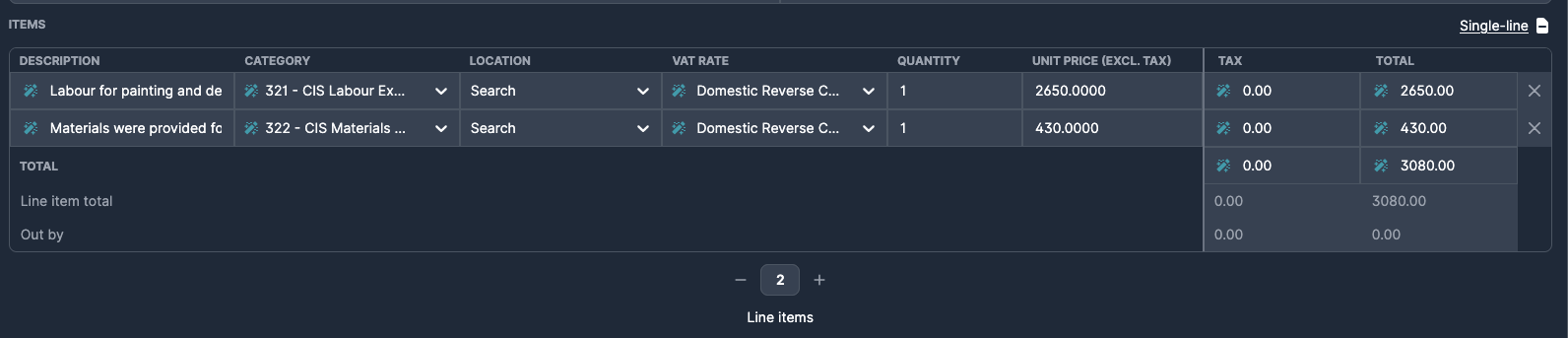
Detect CIS — identify the invoice as CIS based on its content and your CIS configuration.
Split lines — separate labour and materials into individual line items.
Apply VAT — set the correct VAT rate per line (including Domestic Reverse Charge at 0% where applicable).
Publish — post each line to the correct account in your accounting software.
Setup
Xero
For Xero, CIS works automatically with no extra setup in Briefcase. You just need to make sure two things are configured in Xero:
Enable CIS on the organisation — the Xero organisation must be registered as a CIS contractor.
Mark suppliers as CIS subcontractors — each supplier that sends you CIS invoices must be flagged as a CIS subcontractor on their contact record in Xero.
Briefcase reads the CIS status of each supplier directly from Xero, so once your contacts are set up correctly, CIS treatment is applied automatically.
QuickBooks
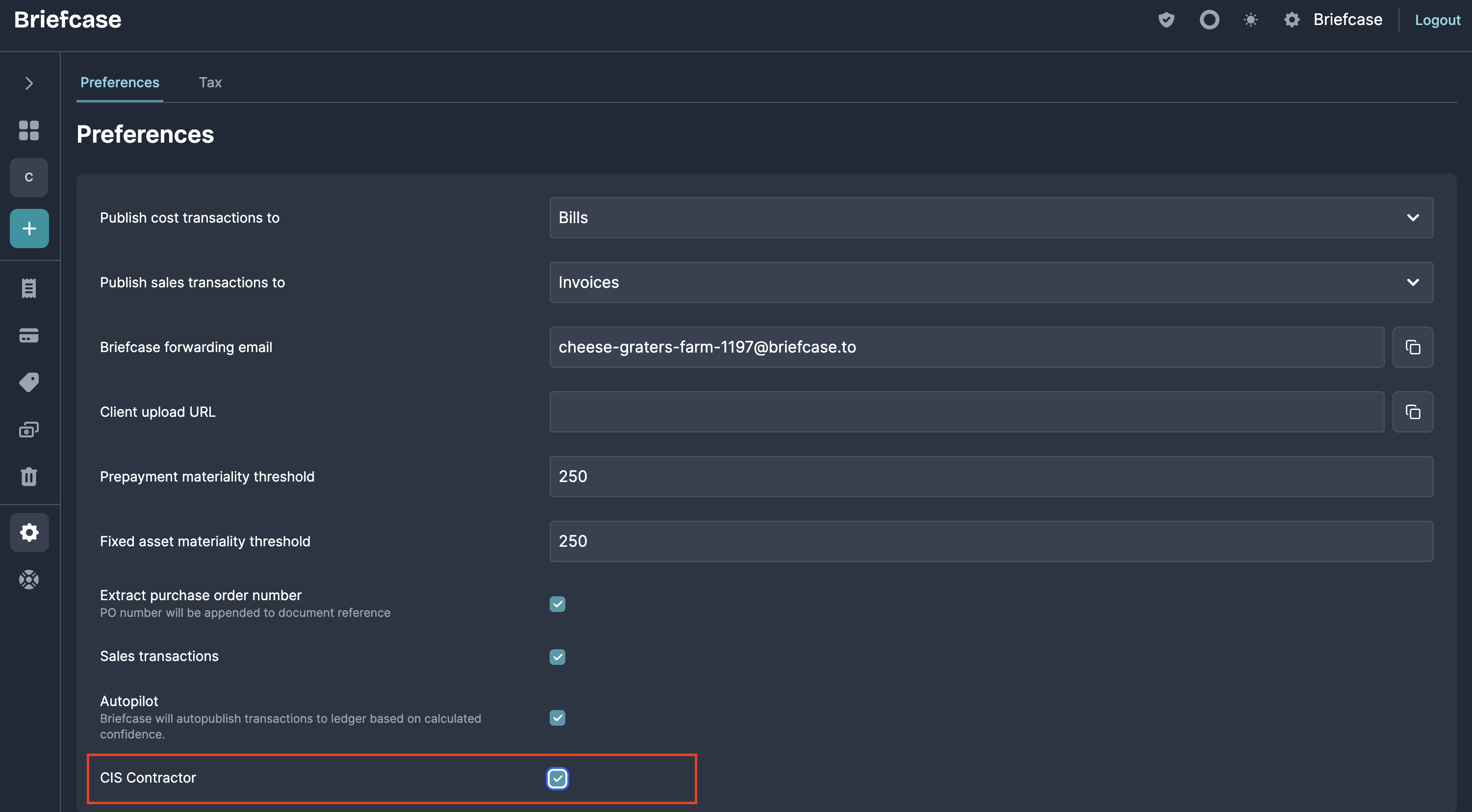
For QuickBooks clients, you must enable the CIS Contractor status within the business settings in Briefcase for CIS treatment to be applied.
QuickBooks' API doesn't expose the "Less CIS" field. After you publish, enter the CIS deduction manually in QuickBooks.