How do I manage two-factor authentication (2FA) in Briefcase?
Last updated: September 22, 2025
2FA is mandated across all Briefcase accounts in order to maintain an extra layer of security and protection.
How it works
Open Settings (⚙ top-right).
Go to User settings.
Click Enable 2FA.
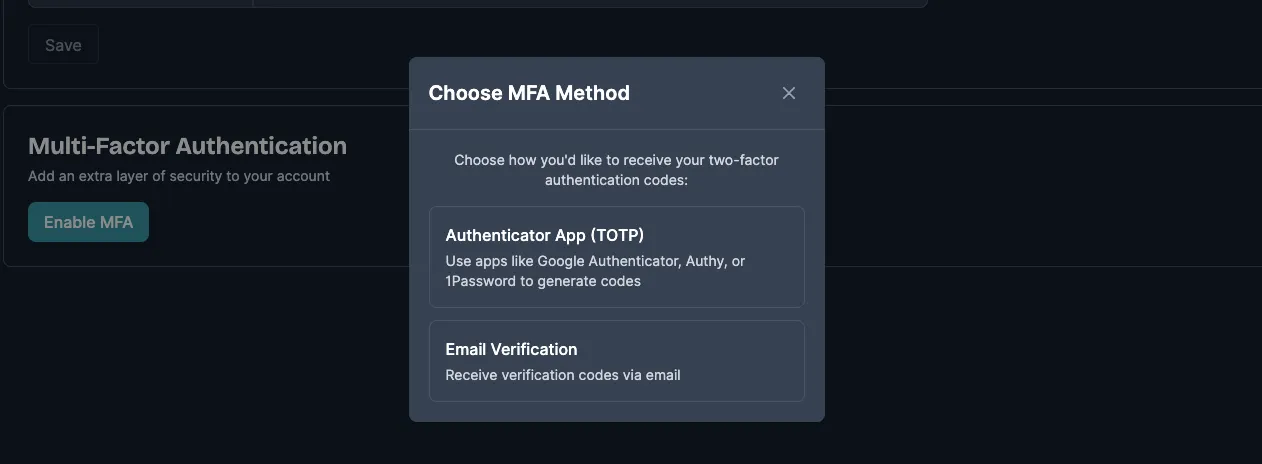
Pick where you’d like your codes delivered Authenticator app or email.
Re-enter your password to confirm.
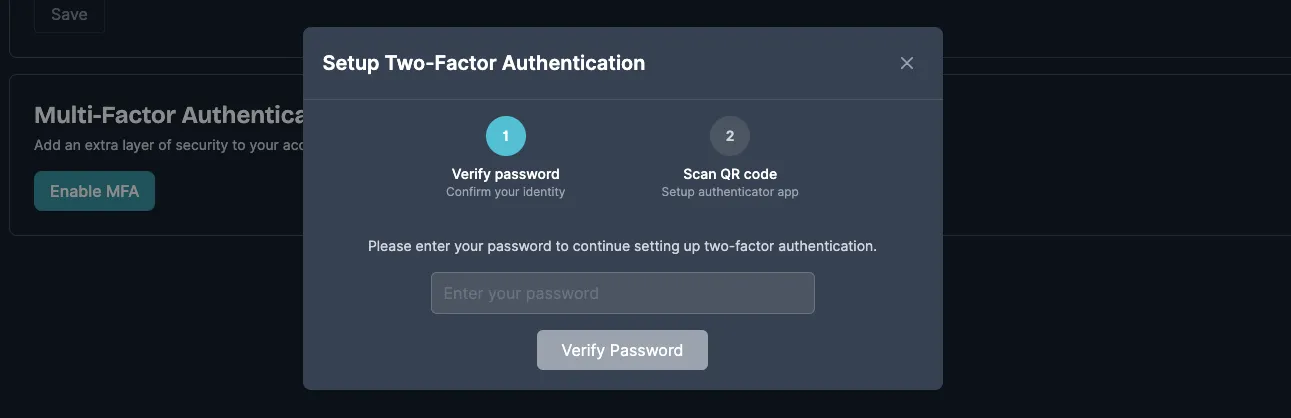
Follow the on-screen prompts to finish setup.
Once enabled, Briefcase will ask for a 2FA code every 30 days or whenever you sign in from a new device.