Supplier statement reconciliation
Last updated: October 24, 2025
Briefcase automatically reconciles supplier statements with your transactions, helping you verify that your records match your supplier's records and identify any discrepancies.
How it works
Upload documents via email, WhatsApp, or web
Briefcase identifies and processes supplier statements automatically
Statements are matched against existing transactions (partial matches require confirmation)
New transactions auto-reconcile against unreconciled statements
Manual reconciliation available when no matches are found
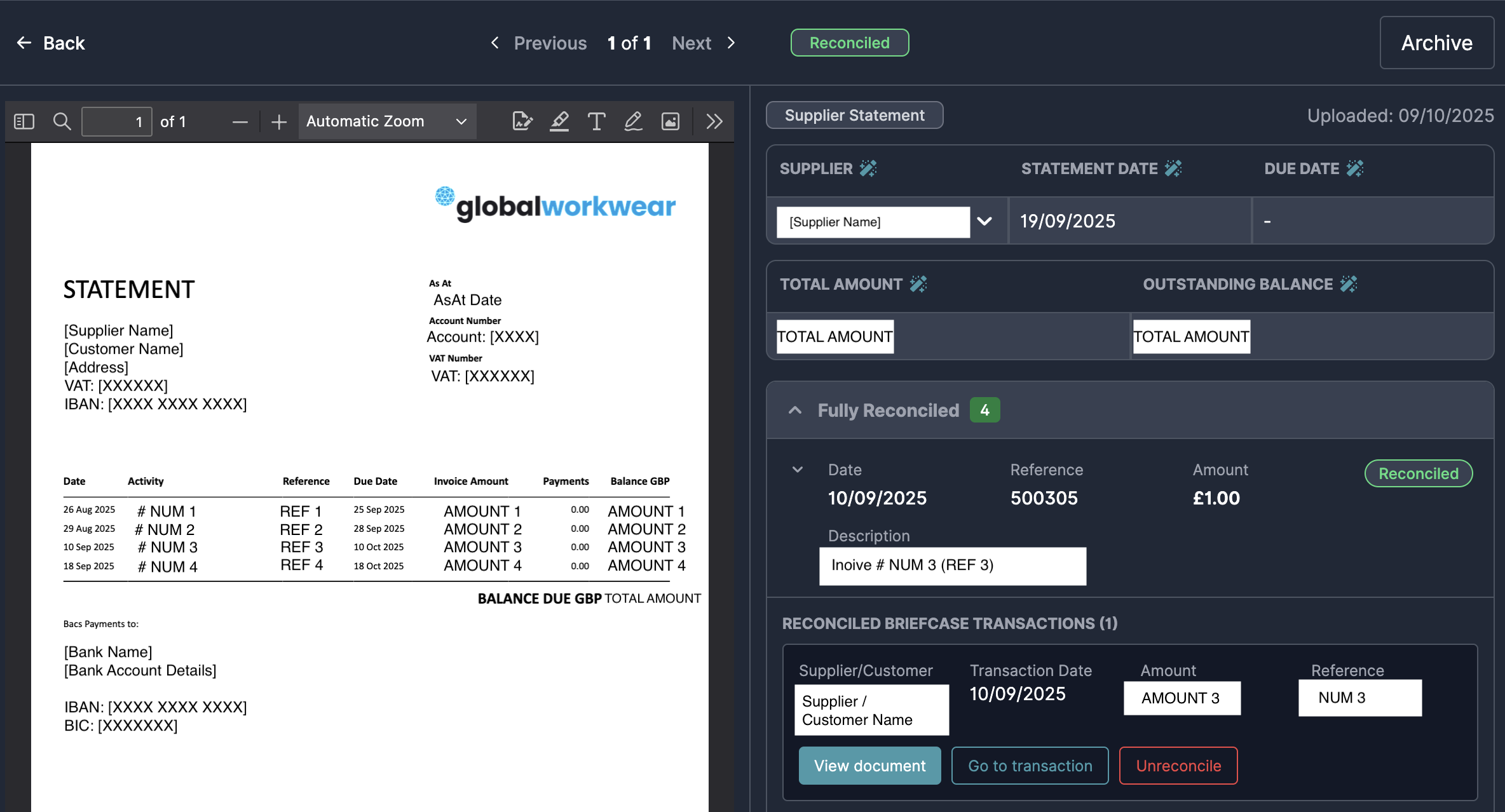
Matching criteria
Briefcase matches statement transactions using four criteria:
Supplier name
Transaction date
Total amount
Document reference
Fully matched – All 4 criteria match (automatic reconciliation)
Partially matched – 3 of 4 criteria match (requires your confirmation)
Unmatched – Fewer than 3 criteria match (available for manual matching)
What to do with matches
Fully matched
No action needed. These are automatically reconciled.
Partial matches
Review and either accept or reject the suggested match.
Unmatched transactions
These may indicate missing transactions or discrepancies. You can manually match them to the correct transaction or investigate further.