How does AI Autopilot work in Bookkeeping?
Last updated: September 22, 2025
AI Autopilot reviews every transaction uploaded into Briefcase and decides whether it can be published straight to the ledger or whether it needs your review.
This means a large proportion of invoices and receipts can be autopublished, with no manual work required.
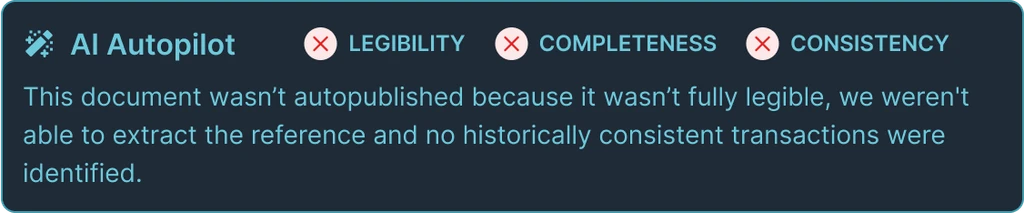
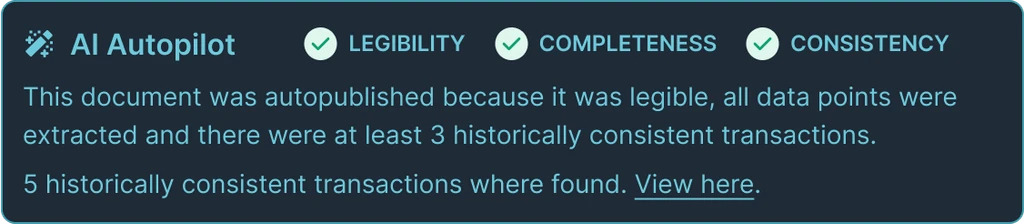
Autopilot is currently supported on cost / purchase invoices and runs after all other AI agents have processed an invoice. Each invoice will show a section to explain why Autopilot did / didn’t run with an explanation as to why.
How to configure
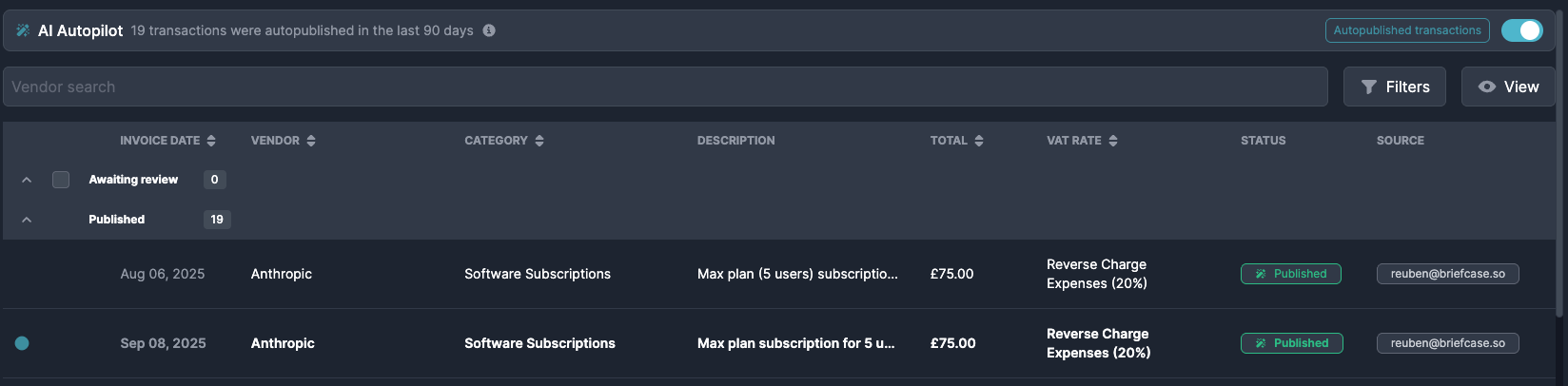
Autopilot is switched on by default for all clients. You can configure it using the toggle in the main cost invoice inbox.
Selecting "Show autopublished transactions" to filter for transactions that our AI autopublished.
How it works
Autopilot runs three verification checks before making a decision:
Document legibility
Document completeness
Historical consistency
If any one of these checks fails, the transaction won’t be auto published.
If all three pass, it will be autopublished.
Guardrails
AI Autopilot is designed to make decision based on the same context and reasoning that a human would. We weigh all important data points and learn from historical corrections just like a human would.
Document Legibility
Is the document actually readable?
The quality of documents uploaded to Briefcase can vary significantly. We make sure that the content is not ambiguous and is safe for us to make decision based upon by extracting the data twice and making sure we are able to make both cases match. If the results don’t match, the transaction won’t be autopublished.
Document Completeness
Can we extract all key data fields from a document?
The second test is to make sure all key fields such as the date, due date, reference, amount, account code, and tax rate, are present. As part of this test:
All line items must add up to invoice total
Supplier must be an existing supplier
Document type must be invoice, receipt, or credit note
If a required field is missing, or one of these guardrails fails, the transaction won’t be autopublished.
Historical Consistency
Can we find similar invoices published in the past?
The final check confirms that the transaction is historically consistent with what you and the team have published in the past. We compare the document with historical transactions and check that key fields like supplier, category, VAT rate, tracking codes and publish location are consistent.
We require at least three historical transaction before autopublishing. Older or edited transactions are weighted less, so the system prioritises your most recent and up-to-date behaviour.
Our AI will learn from autopublished transactions that are then manually edited, learning from these changes, and improving its accuracy going forward.