How do I manage expense claims in Briefcase?
Last updated: November 14, 2025
You can create expense claims directly from invoices. Group multiple invoices into a single expense claim for an employee. Once created, the expense claim can be published directly into Xero or Quickbooks.
How it works
Select relevant invoices and click Expense claim on the bottom of the screen.
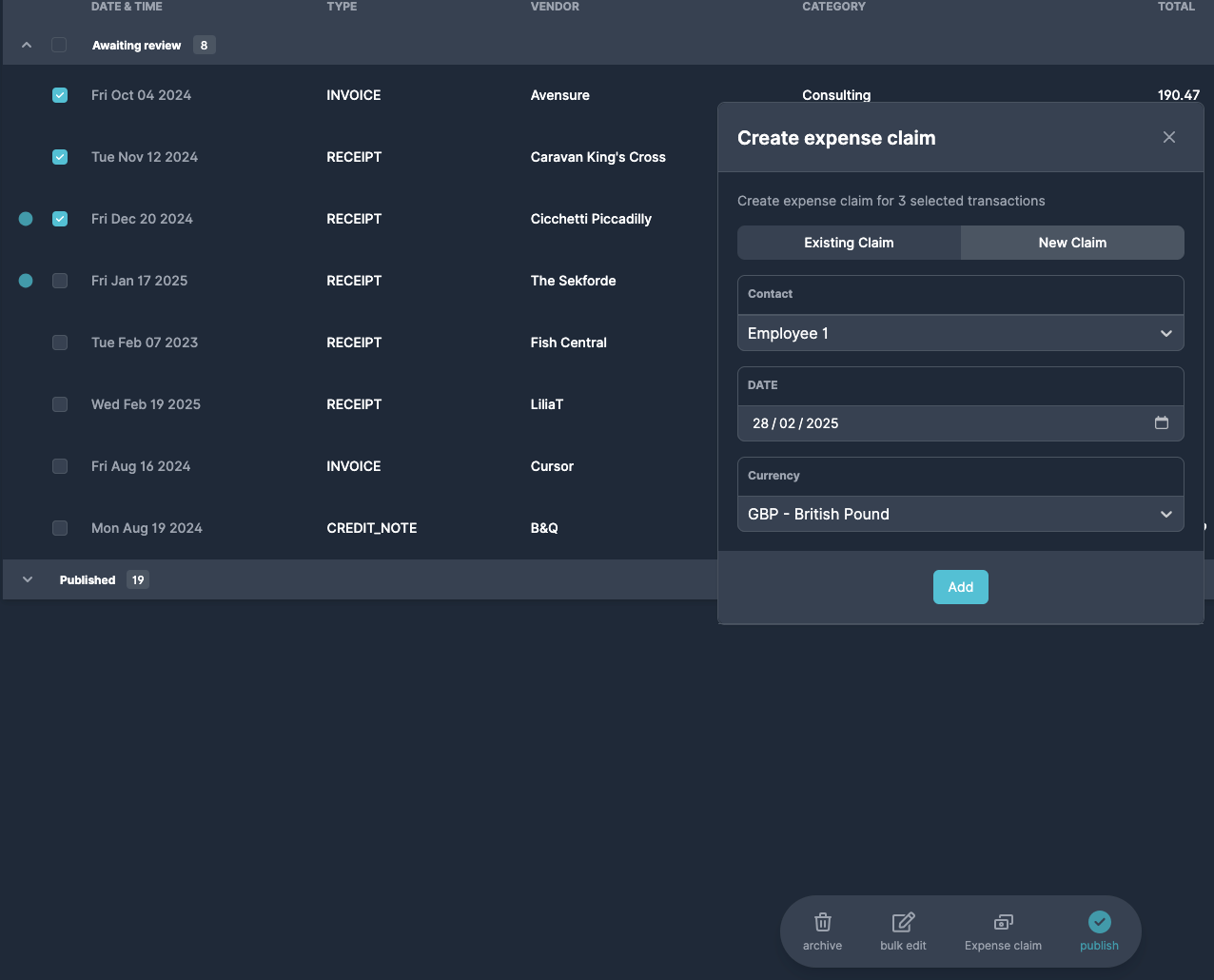
Assign relevant contact, you can create new contact by typing the name and clicking Add “Name” button.
Navigate to the expense claim inbox in the left menu and publish it.
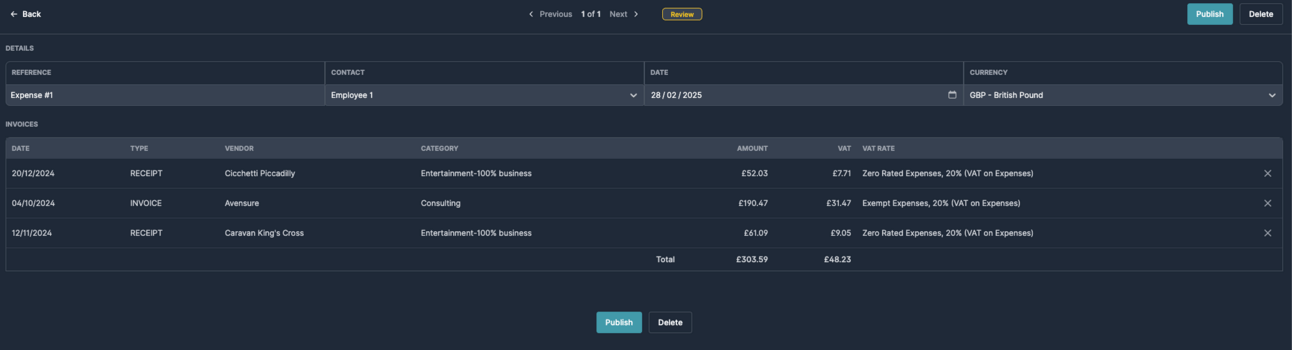
Expense claim is now available as new invoice in your Xero or QBO connection.
Use the "Source" field in the invoices inbox to identify documents submitted by employees for easy expense claim grouping.